





When a vessel arrives to load cargo, it is mandatory to provide information about previous cargoes.
It is essential that the product data is entered accurately.
It is essential that the product data is entered accurately.
To make this process easier for the barge operators, an optional selection box has been added, containing products from the barge's previous discharge dossiers.
Current situation: The product data is automatically copied from the most recent dossier. See below.
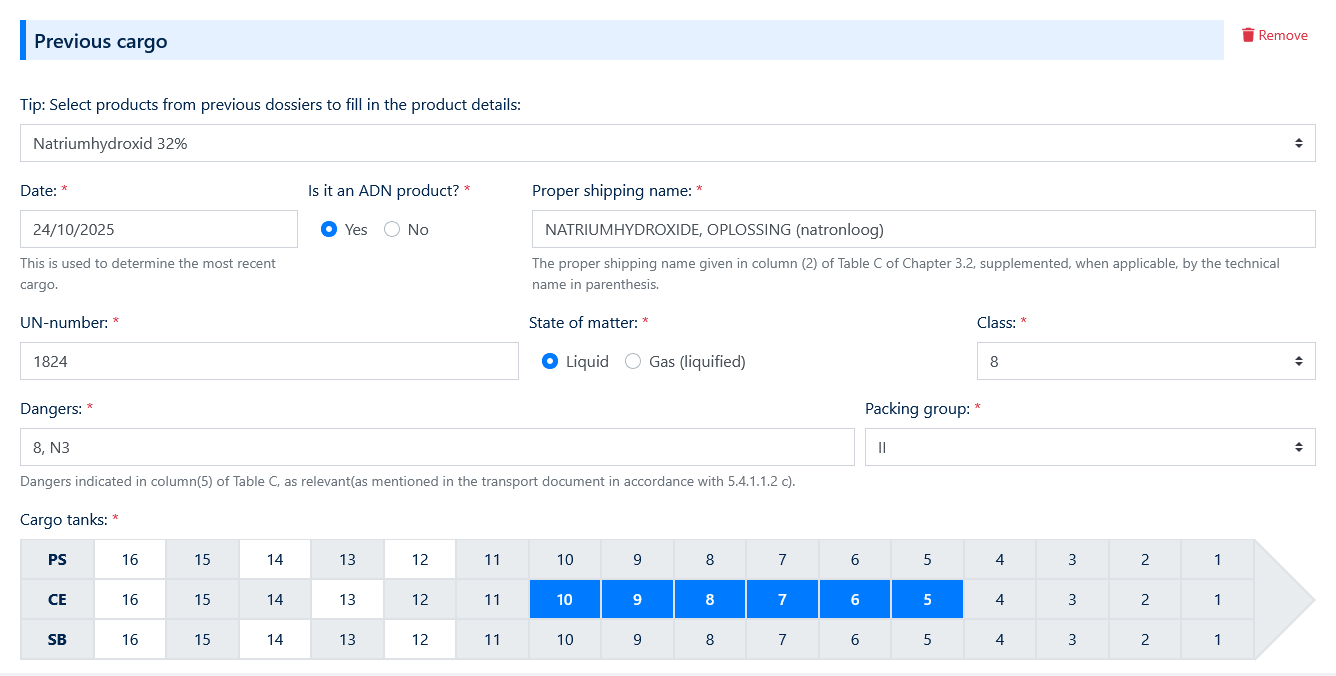
If the correct product does not appear in this list - because the barge has made terminal visits not registered in UAB, or if it is the barge's first visit - the barge operator must manually enter the product details. See below.
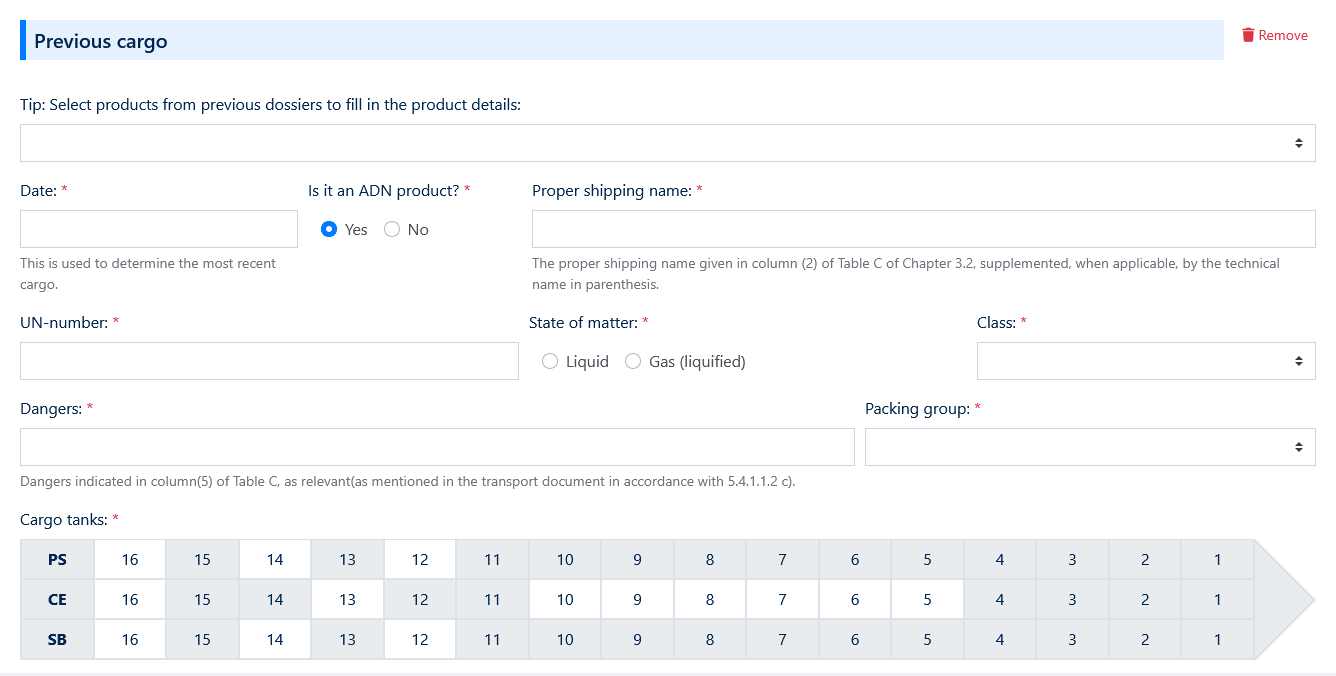
Current situation: Manual entry of ADN product details.
New situation
In the new setup, when no product is selected from a previous dossier, but the previous cargo is an ADN product, a new mandatory selection box will appear.
This list contains products from Table C, allowing the correct ADN product data to be automatically populated.
This improvement helps prevent common input errors, particularly with the transport name. See below.
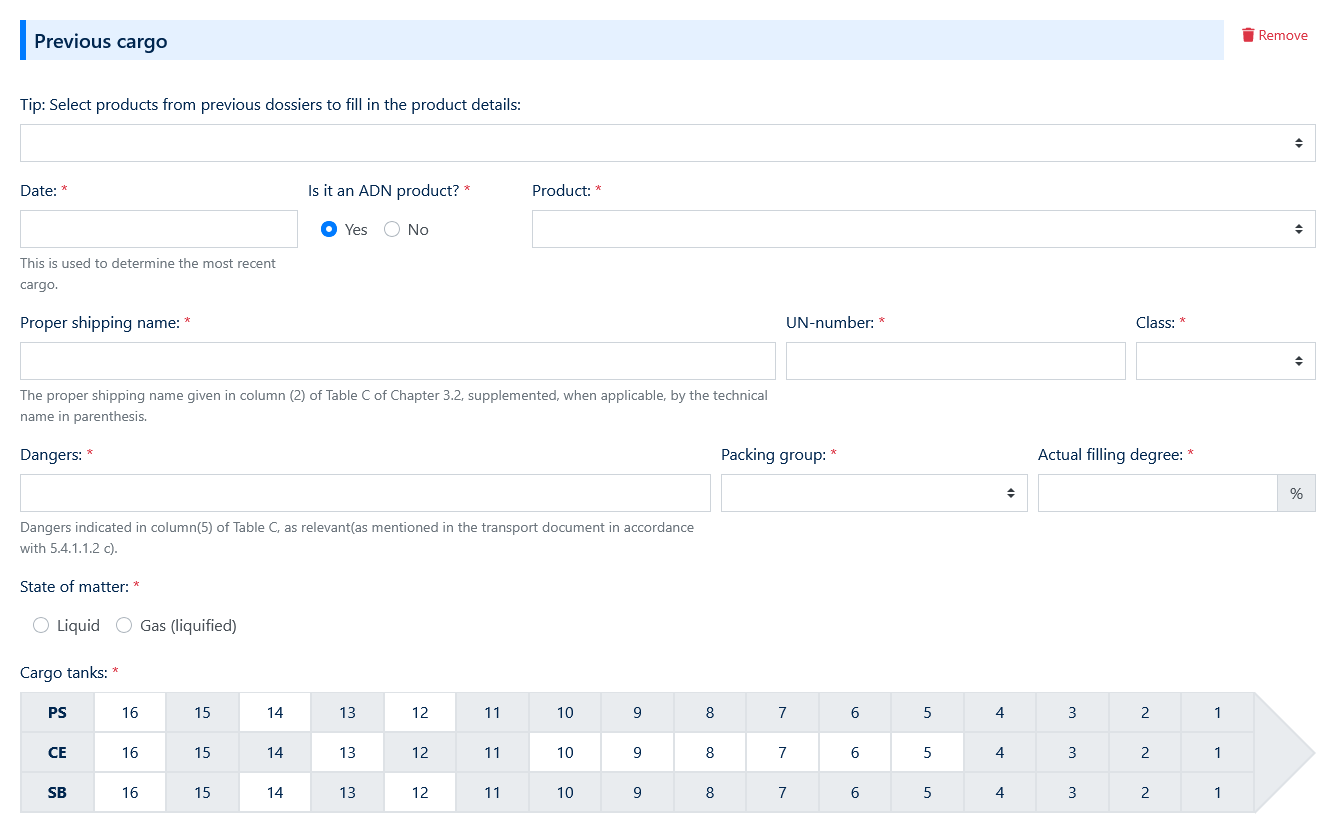
New situation
The Table C product selector becomes available when no product is chosen from a previous dossier.
The selected Table C product automatically fills in the ADN data fields. See below.
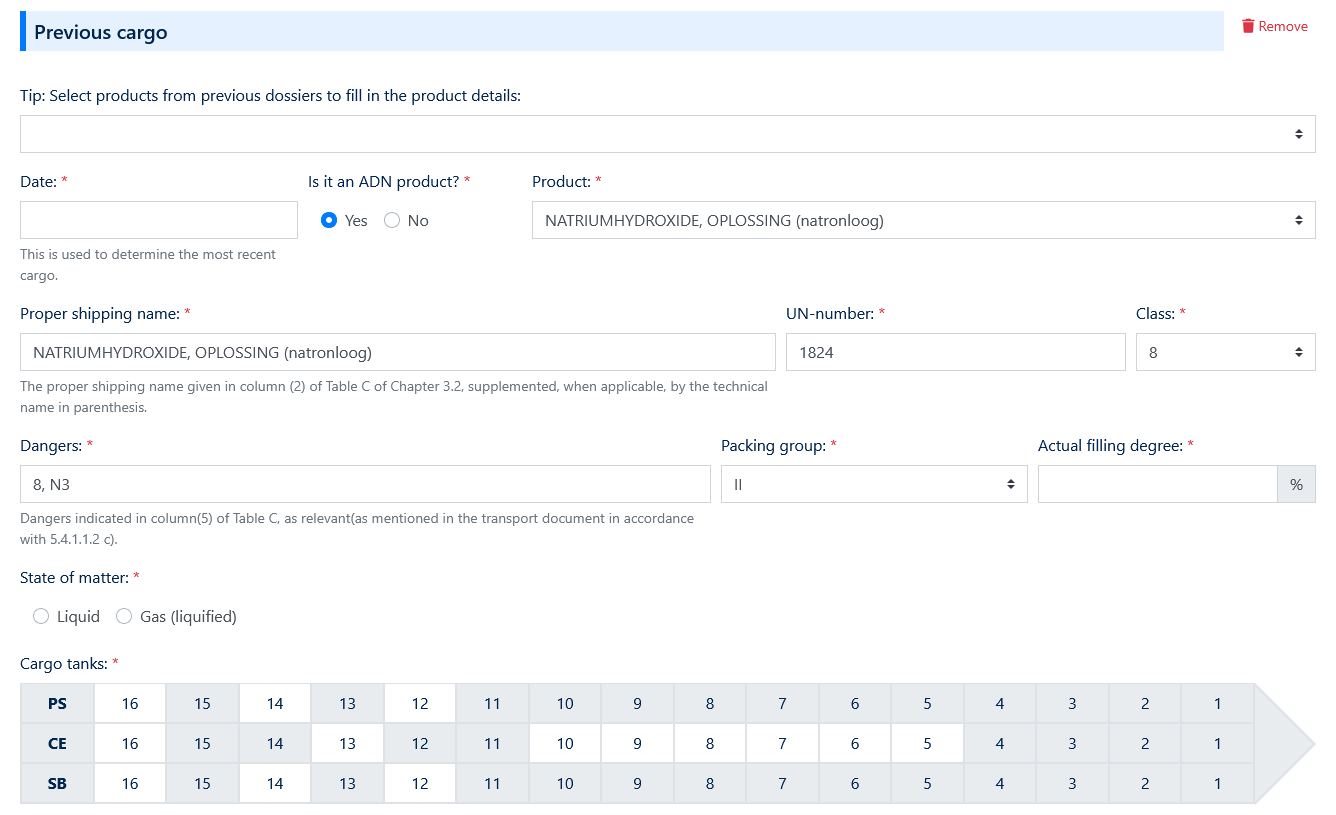
Filling percentage requirement
It is now mandatory to specify the filling percentage (1–100%) for all previous cargoes.
This information is crucial for safety checks, operational planning and regulatory compliance.
Implementation scope
This change will be implemented per 11 November 2025, for all inland shipping terminals in the pre-notification forms.
The subsequent forms (VOW and ADN) will remain unchanged.
Do you have any questions about these developments?
Please contact the team at support@uab-online.com
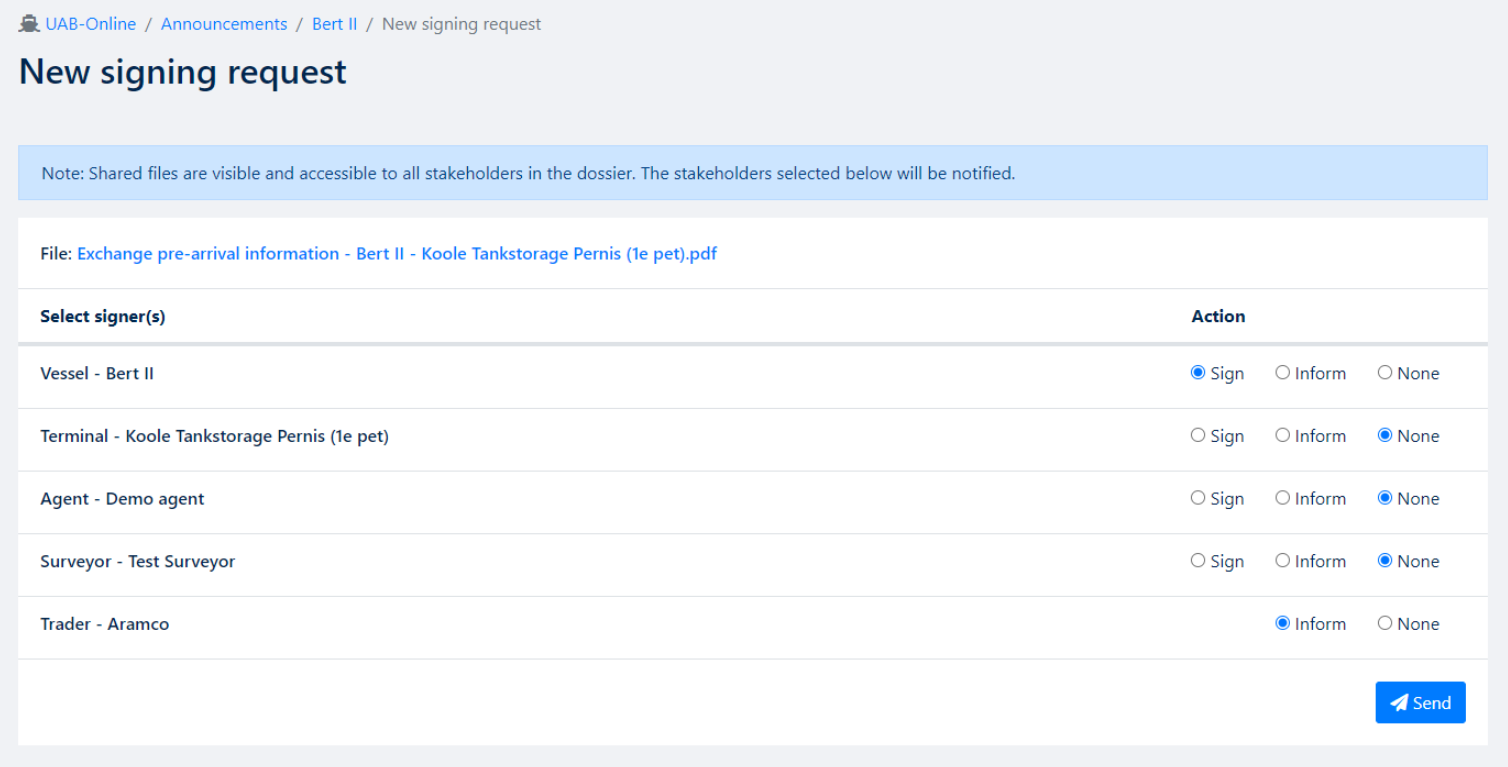
Traders can now be informed when a signing request is completed.
We have made it possible to inform traders after documents have been signed by the terminal.
After the process is finished, the document will be send to the trader automatically.
Below image shows you what this will look like for all parties involved and which action you wish for the application to take.
Do you have any questions about these developments?
Please contact the team at support@uab-online.com