




.png)
for terminals & traders
Why it matters
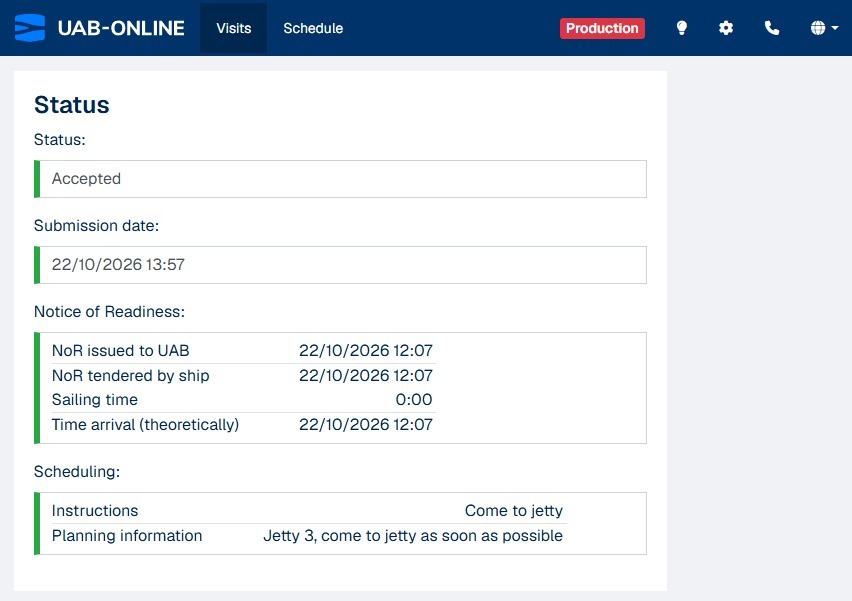
Keeping traders informed should not mean sending every update or document by email. Traders linked to a visit can now open the online dossier themselves, follow its status and work with the documents shared with them in UAB-Online.
The trader sees a limited part of the Status, next to the list of Stakeholders.

What's new
The terminal links the trader’s company to the visit. The trader receives an email and can open the dossier from the email link, their visit overview or the schedule, where available.
Already linking traders to your dossiers? Those linked traders can now open them. If you would like to start linking traders and need help getting set up, contact UAB-Online.
Some background
Previously, traders could see their visit overview and, where permitted, the schedule. They can now open the dossier for visits their company is linked to.
From the dossier, traders can:
- Follow the vessel visit’s status and see its participants.
- View and download documents shared with them.
- Upload and share documents, request documents and respond to requests.
- Sign or reject documents when invited to sign.
- Open the vessel’s AIS map, subject to the applicable AIS permissions.
Traders only have access to dossiers their company is linked to. They cannot see or change the pre-arrival or Notice of Readiness, view the terminal’s internal documents, or start a signing request.
If you would like to start linking traders and need help getting set up, contact UAB-Online.